FAQ accordion
FAQ accordion on native details elements: up to 30 questions, optional groups, search filter, one-open mode and optional FAQPage structured data.
- Category
- Navigation and utility
- Use on
- Home, Product, FAQ page, Any page
- Reads
- Content only
- Size
- 33 KB, small script included
- License
- MIT, free for client work
In short
FAQ accordion is a free Shopify section that lists up to 30 questions and answers which open and close with native HTML, so it works without JavaScript. Optional extras add a search filter, one answer open at a time, group headings and FAQPage JSON-LD, and it works in Online Store 2.0 themes without an app.
When to use it
- A dedicated FAQ or help page grouped by orders, returns and product care
- Product page questions about sizing, materials or care under the buy box
- Shipping and returns answers near the bottom of the home page or cart page
In the theme editor
- Heading, heading tag and size, intro text
- Up to 30 questions: question, rich text answer, optional group label
- Group by label, open the first question, only one answer open at a time
- Search box with label, placeholder and no-results message
- Plus, chevron or no icon; divider lines or cards; corner radius
- Layout: single column, two columns on desktop, or heading left and questions right; heading alignment per device
- Contact box with text and button; background, text, accent, card and divider colors
- Top and bottom padding per device, show on desktop/mobile only, anchor ID, open animation toggle
- Optional FAQPage structured data (off by default)
Files
sections/lib-faq.liquidView the code
snippets/lib-button.liquidView the code
Written in plain Liquid, CSS and, where needed, a small script. No app, no dependencies.
How to add it to your theme
- Copy the section file into your theme’s sections folder, and any snippet it lists into snippets.
- In the theme editor, choose Add section and pick the one that starts with “Lib ·”.
- Replace the sample text with your store’s own, and set the colors to match your brand.
Questions
- Does the accordion work without JavaScript?
- Yes. Each question is a native details and summary element, so it opens and closes with the browser alone and works with the keyboard. JavaScript is only used for the search box, which stays hidden without it, and for one-answer-open mode in browsers that do not support it natively.
- How many questions can I add, and can I group them?
- Up to 30 question blocks. Give questions a group label and turn on grouping: questions with the same label are listed together under that label as a heading, in the order the labels first appear. Questions without a label are listed first.
- Does it add FAQ structured data?
- Only if you tick "Output FAQPage structured data", which is off by default. The section then outputs schema.org FAQPage JSON-LD built from the questions, with HTML removed from the answers. Use it on one FAQ per page and skip it if your theme or an app already outputs FAQ markup. Structured data does not guarantee a rich result in search.
- How does the search box work?
- As visitors type, questions whose question or answer text does not contain the words are hidden, empty groups are hidden too, and a message you set is shown when nothing matches. Escape clears the search. It filters the questions already on the page and makes no network requests.
- Does opening an answer animate?
- In browsers that can animate details content, answers slide open when the motion setting is on. Elsewhere they open instantly, and the animation is always off when the visitor prefers reduced motion.
Before you publish
- The text in the demos is sample content. Replace it with facts about your own store before you publish.
- Animations are switched off for visitors who ask for reduced motion.
- Every file is checked with Shopify Theme Check before it is published here.
Need it adapted to your theme, or a section that isn’t here? See Shopify theme development.
More sections
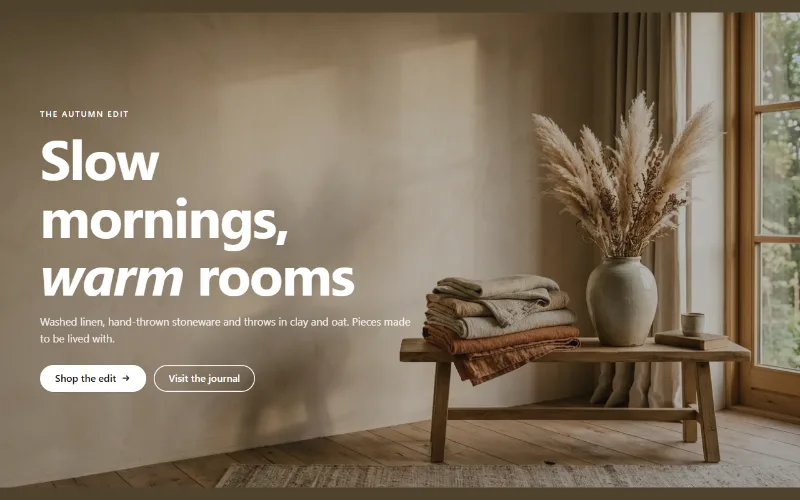
Hero and banners
Hero banner
A full-bleed image banner with eyebrow, heading, text and two buttons over it, a separate mobile image, overlay, nine content positions and height per device.
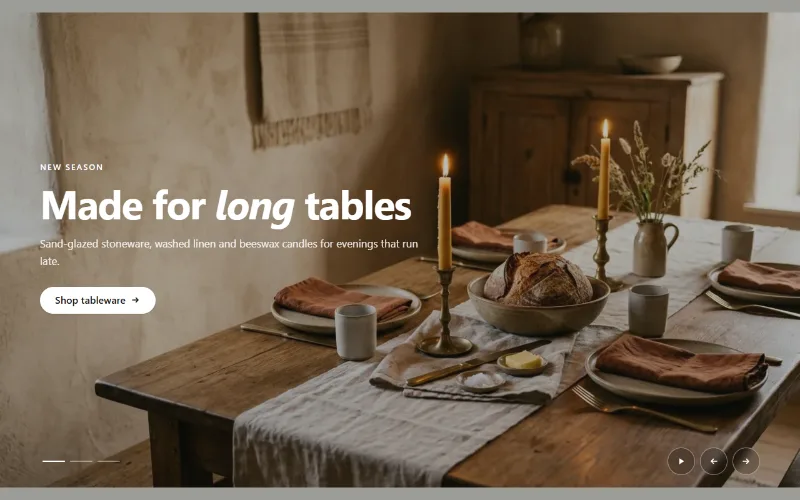
Hero and banners
Hero slideshow
A full-width hero slideshow of up to six slides, each with its own desktop and mobile image, overlay, text and button. Swipe, autoplay, arrows and dots.
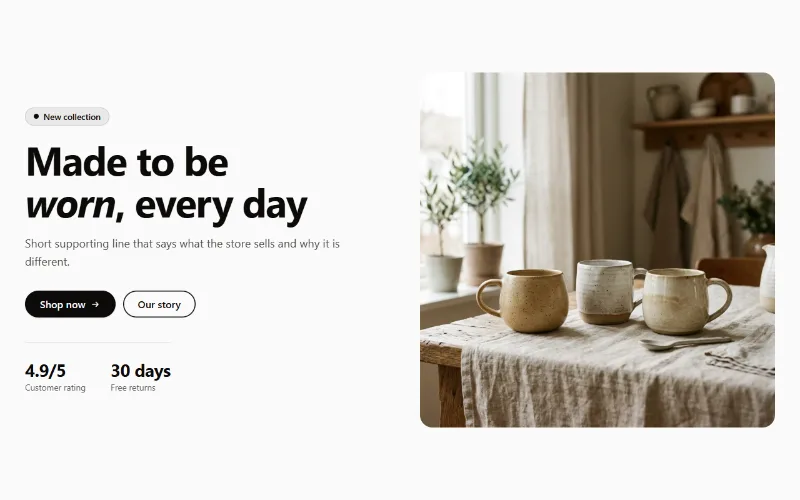
Hero and banners
Hero split
A split hero: badge, headline, supporting text, two buttons, up to three short stats and an image on either side, with a separate image for mobile.
