Hero slideshow
A full-width hero slideshow of up to six slides, each with its own desktop and mobile image, overlay, text and button. Swipe, autoplay, arrows and dots.
- Category
- Hero and banners
- Use on
- Home, Landing pages
- Reads
- Content only
- Size
- 49 KB, small script included
- License
- MIT, free for client work
In short
Hero slideshow is a free Shopify section that rotates up to six full-width slides, each with its own image, mobile image, overlay, heading, text, button and content position. It swipes natively on touch, has a pause button and keyboard controls, and works in Online Store 2.0 themes without an app.
When to use it
- Home page hero that rotates between collections or seasonal campaigns
- Landing page opener that walks through several product lines
- Announcing a new range alongside evergreen best-seller slides
In the theme editor
- Up to 6 slide blocks: desktop and mobile image, overlay color and opacity, eyebrow, heading, text, text color
- Per slide: one button (solid, outline or text link, new tab) or a whole-slide link
- Per slide: 9 content positions on desktop, top/middle/bottom and alignment on mobile
- Slide or fade transition, loop, arrows, dots or progress bars
- Autoplay with interval in seconds, pause on hover and keyboard focus
- Height per device: small, medium, large, full screen or adapt to first image
- First slide heading tag and heading size; screen-reader name for the slideshow
- Full or page width, content max width; background, button and control colors
- Top and bottom padding per device, show on desktop/mobile only, anchor ID, text animation
Files
sections/lib-hero-slideshow.liquidView the code
snippets/lib-image.liquidView the code
snippets/lib-button.liquidView the code
Written in plain Liquid, CSS and, where needed, a small script. No app, no dependencies.
How to add it to your theme
- Copy the section file into your theme’s sections folder, and any snippet it lists into snippets.
- In the theme editor, choose Add section and pick the one that starts with “Lib ·”.
- Replace the sample text with your store’s own, and set the colors to match your brand.
Questions
- How many slides can I add?
- Up to six. Each slide is a block with its own desktop and mobile image, overlay color and opacity, eyebrow, heading, text, button, content position and text color.
- Is it accessible?
- The slideshow is marked up as a carousel with labelled slides. Arrows and dots are real buttons (dots read "Go to slide 1" and so on), the arrow keys move between slides while the controls have focus, and hidden slides cannot be tabbed into. With autoplay on there is a pause button, and slide changes are announced politely only when autoplay is not running.
- What happens with reduced motion?
- For visitors whose device asks for reduced motion, autoplay does not start, slides change without smooth scrolling or fading, and the text animation is off. They can still press play to start autoplay.
- Does autoplay pause?
- Yes. It pauses while the mouse is over the slideshow or keyboard focus is inside it (this can be turned off), while the slideshow is scrolled out of view or the browser tab is hidden, and whenever the visitor presses pause. With loop off it stops on the last slide.
- How does swiping work?
- The slide transition uses the browser's native scroll snapping, so touch swipes and trackpad gestures work even before the script loads. The fade transition handles horizontal swipes with pointer events.
- Does it slow the page down?
- The first slide's image loads eagerly with high fetch priority when the section is one of the first two on the page; every other slide image loads lazily. The script is small, vanilla JavaScript with no libraries.
Before you publish
- The text in the demos is sample content. Replace it with facts about your own store before you publish.
- Animations are switched off for visitors who ask for reduced motion.
- Every file is checked with Shopify Theme Check before it is published here.
Need it adapted to your theme, or a section that isn’t here? See Shopify theme development.
More sections

Hero and banners
Hero banner
A full-bleed image banner with eyebrow, heading, text and two buttons over it, a separate mobile image, overlay, nine content positions and height per device.
Hero and banners
Hero split
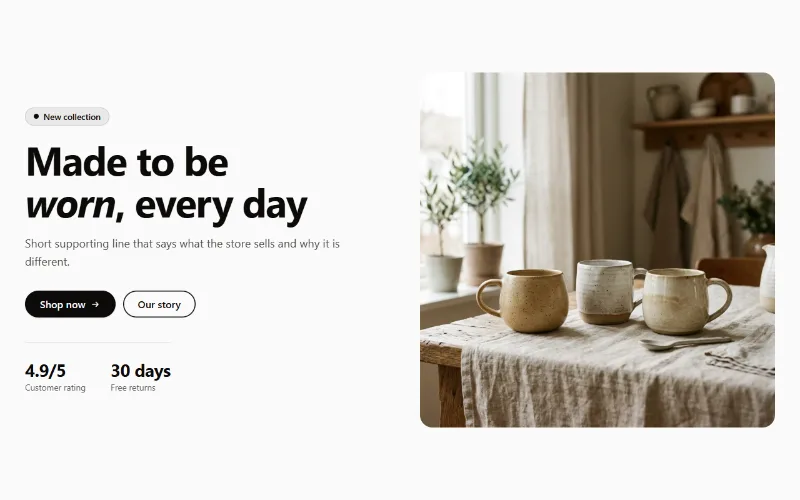
A split hero: badge, headline, supporting text, two buttons, up to three short stats and an image on either side, with a separate image for mobile.
Product and collection discovery
Collection cards
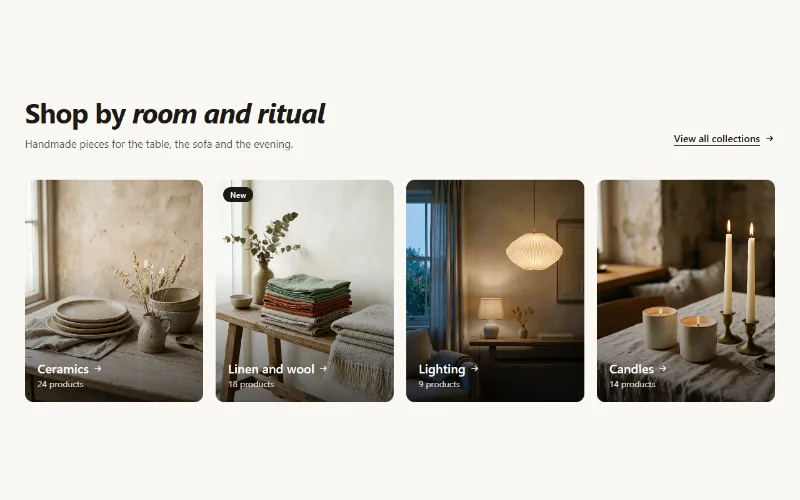
Up to eight collection cards with image, title, label and product count. Text over the image or below it, 2 to 5 columns, or a swipeable row on mobile.
