Sticky add to cart
Add to cart bar fixed to the bottom or top of the screen that appears once the main buy button scrolls away, with variant select and quantity.
- Category
- Product page
- Use on
- Product, Landing pages, Any page
- Reads
- Products
- Size
- 29 KB, small script included
- License
- MIT, free for client work
In short
Sticky add to cart is a free Shopify section that slides in a buy bar with the product image, price, variant select, quantity and add to cart button once the page's own buy form has scrolled out of view. It is a native Shopify product form, keeps sold-out variants unselectable and pads the page so it never covers content, and it works in Online Store 2.0 themes without an app.
When to use it
- Long product pages with reviews, tabs and recommendations, so the buy button stays one tap away
- Mobile product pages where the main add to cart button scrolls off quickly
- A landing page or campaign page for one product, using the product picker
In the theme editor
- Product picker (optional on product pages), product image, compare-at price and quantity selector on or off
- Button label and sold-out label
- Position at the bottom or top of the screen, or always visible
- Main buy form selector and fallback scroll distance that decide when it appears
- Edge-to-edge bar or floating card, page or full width content, corner radius
- Background, text, button and border colors; no, soft or strong shadow
- Padding per device, show on all devices, desktop only or mobile only, slide in and out toggle
Files
sections/lib-sticky-add-to-cart.liquidView the code
Written in plain Liquid, CSS and, where needed, a small script. No app, no dependencies.
How to add it to your theme
- Copy the section file into your theme’s sections folder, and any snippet it lists into snippets.
- In the theme editor, choose Add section and pick the one that starts with “Lib ·”.
- Replace the sample text with your store’s own, and set the colors to match your brand.
Questions
- When does the bar appear?
- It watches the element that matches the "Main buy form selector" setting, by default the first product form on the page that is not the bar's own, and appears once that form has scrolled completely above the screen. It hides again when you scroll back up to it. If nothing matches the selector, it appears after the fallback scroll distance instead (600px by default). "Always visible" shows it from the start.
- Which product does it use?
- The product picked in the section settings if there is one, otherwise the product of the product page it sits on. Outside the theme editor, with neither, the section outputs nothing; in the editor it shows a placeholder bar.
- How are variants and sold-out items handled?
- When a product has more than one variant, the bar shows a select with every variant. Sold-out variants are disabled and labelled with your sold-out text. Choosing a variant updates the price and compare-at price, and if the page's own buy form changes its variant, the bar follows. If the selected variant is sold out, the button is disabled and shows the sold-out label.
- Does it use my theme's cart drawer?
- No. It is a standard Shopify product form that posts to the cart, so it works without JavaScript and follows Shopify's default behaviour of taking the shopper to the cart page. It does not open a theme's cart drawer.
- Will it cover the footer or other content?
- In the bottom position it adds its own height to the page's bottom padding while it is visible and removes it when hidden, so the end of the page can always be scrolled into view. When hidden it is inert and aria-hidden, so keyboard and screen reader users never land in it.
- Can I show it only on mobile?
- Yes. "Show on" switches it between all devices, desktop only (750px and wider) and mobile only. Below 750px the product info sits above the variant select, quantity and button.
Before you publish
- The text in the demos is sample content. Replace it with facts about your own store before you publish.
- Animations are switched off for visitors who ask for reduced motion.
- Every file is checked with Shopify Theme Check before it is published here.
Need it adapted to your theme, or a section that isn’t here? See Shopify theme development.
More sections
Product page
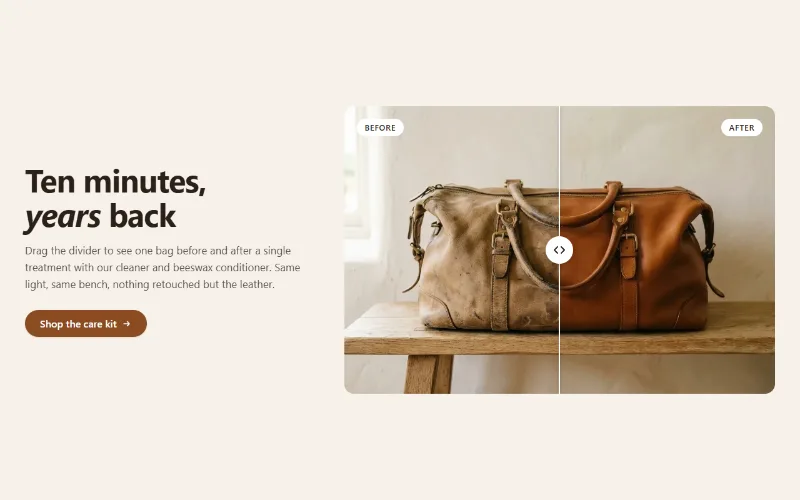
Before / after slider
Two photos in one frame with a draggable divider, so shoppers can compare before and after. Keyboard and screen reader friendly, with separate mobile images.
Product page
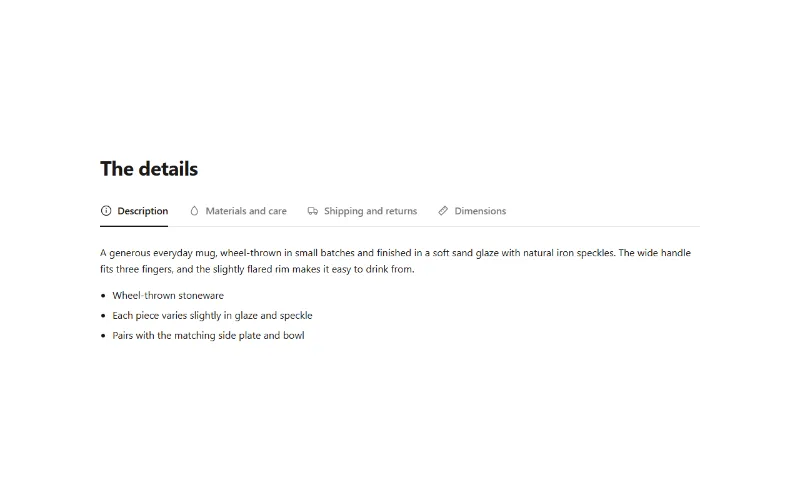
Product tabs
Up to 6 product info tabs from your own text, the product description, a page or a metafield. Tabs on desktop, accordion on mobile.

Hero and banners
Hero banner
A full-bleed image banner with eyebrow, heading, text and two buttons over it, a separate mobile image, overlay, nine content positions and height per device.
