Video gallery
A grid of video posters that open in an accessible lightbox. Shopify, YouTube or Vimeo videos; nothing third-party loads until a shopper presses play.
- Category
- Image and video
- Use on
- Home, About, Product, Landing pages
- Reads
- Shopify-hosted videos or YouTube/Vimeo links
- Size
- 22 KB, small script included
- License
- MIT, free for client work
In short
Video gallery is a free Shopify section that shows several videos as a grid of poster images with titles and an optional caption such as the length, and plays each one in a lightbox when it is clicked. Each video is a block: a video uploaded to Shopify or a YouTube or Vimeo link. The player is created only on click, YouTube through youtube-nocookie.com and Vimeo with Do Not Track, and removed when the lightbox closes, so no third-party player loads with the page. The lightbox is a native modal dialog that closes with Esc, its close button or a click outside and returns focus to the video's tile. It works in Online Store 2.0 themes without an app.
When to use it
- How-to, care or styling videos for a product range on one page
- Behind-the-scenes films of the workshop on an About page
- A gallery of campaign or launch films on a landing page
In the theme editor
- Heading (H1–H3 or paragraph tag, four sizes) and intro text
- Video blocks: Shopify-hosted video or YouTube/Vimeo link, poster image, title and optional caption
- Two to four columns on desktop, one or two on mobile; poster shape (16:9, square, 4:5) and corner radius
- Editable play and close labels for screen readers
- Page or full width, heading alignment per device
- Background color or gradient, text, accent and text on accent colors
- Top and bottom padding per device, show on desktop/mobile only, anchor ID, rise in on scroll
Files
sections/lib-video-gallery.liquidView the code
Written in plain Liquid and CSS with a small script. No app, no dependencies.
How to add it to your theme
- Copy the section file into your theme’s sections folder, and any snippet it lists into snippets.
- In the theme editor, choose Add section and pick the one that starts with “Lib ·”.
- Replace the sample text with your store’s own, and set the colors to match your brand.
Questions
- Does it slow the page down?
- No player loads with the page, only the poster images, which are lazy loaded. The YouTube, Vimeo or Shopify player is added when a shopper clicks a video and removed when the lightbox closes, which also stops playback.
- Do YouTube and Vimeo set cookies?
- Not before a shopper plays a video. YouTube videos then play from youtube-nocookie.com, YouTube's privacy-enhanced mode, and Vimeo videos with Do Not Track on. Whether your store needs consent for the embedded players once they play depends on your market; the section never loads them on its own.
- Is the lightbox accessible?
- It is a native modal dialog labelled with the video's title. The rest of the page is inert while it is open; Esc, the close button or a click on the dark area closes it, and focus goes back to the video you opened. The play and close labels are settings, so you can change or translate them.
- What happens without JavaScript?
- Each tile is a normal link: a Shopify video opens its file, a YouTube or Vimeo video opens on that site.
- Do YouTube and Vimeo videos need a poster image?
- Yes, add one per block; Shopify-hosted videos use their own preview image when the poster is empty. Use a frame from the video itself so the poster matches what plays.
Before you publish
- The text in the demos is sample content. Replace it with facts about your own store before you publish.
- Animations are switched off for visitors who ask for reduced motion.
- We check every file with Shopify Theme Check before publishing it here.
Need it adapted to your theme, or a section that isn’t here? See Shopify theme development.
More sections
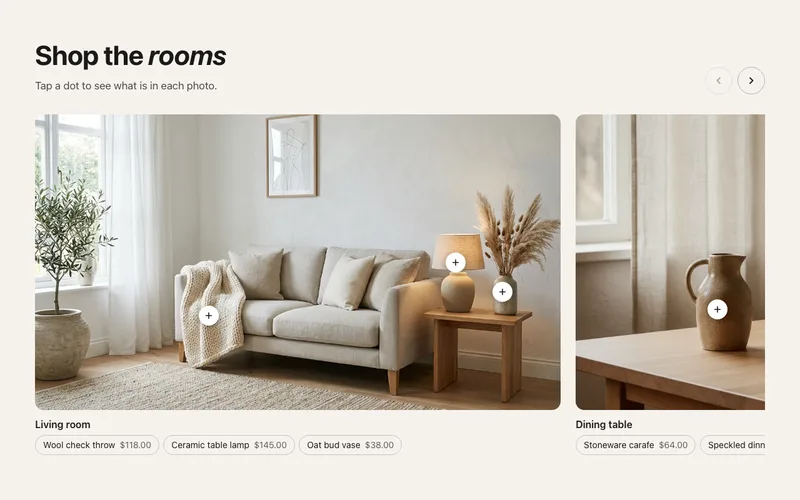
Image and video
Shoppable image carousel
Swipeable row of lifestyle photos, each with up to three product hotspots that open a product card, plus plain product links under every photo.
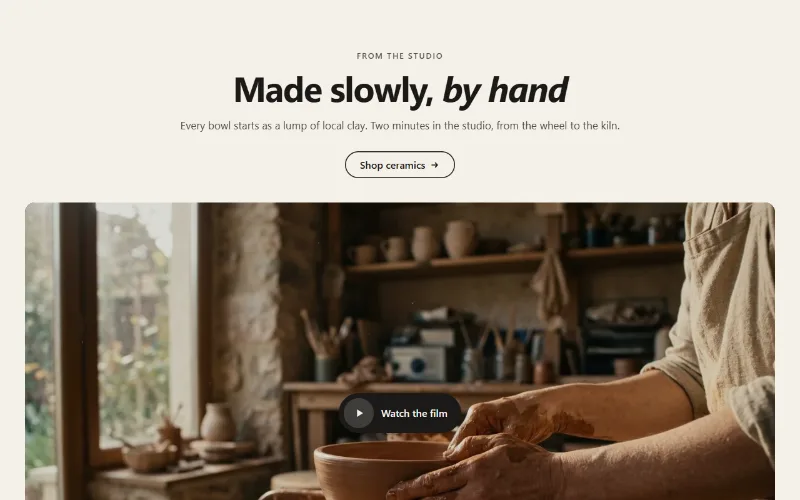
Image and video
Video
A Shopify, YouTube or Vimeo video as an inline player, a muted background loop, or a poster that opens a lightbox. Nothing loads until play.
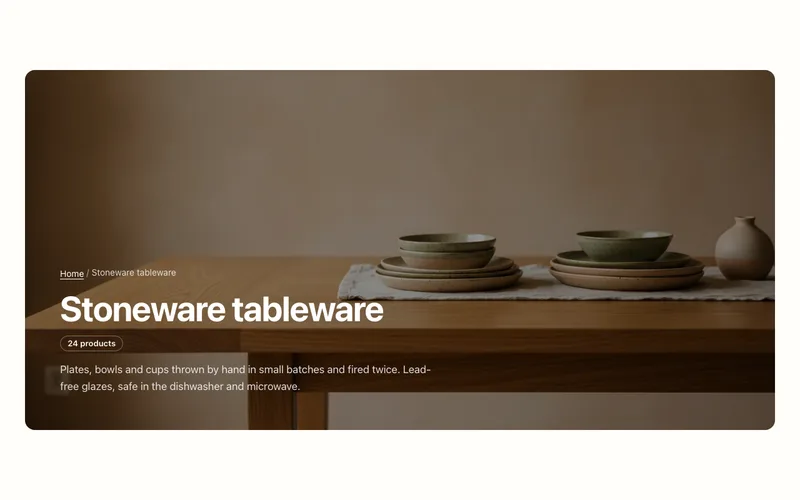
Hero and banners
Collection banner
Collection page header with the collection's title, description, image and product count, over the image or beside it, plus an optional breadcrumb.
