Shipping and returns
Delivery times, thresholds and the returns promise as icon points, a delivery date estimate from your own day counts, and links to the store's policies.
- Category
- Product page
- Use on
- Product, Home, Cart, Landing pages
- Reads
- Content only, plus the store's shipping and refund policies
- Size
- 27 KB, small script included
- License
- MIT, free for client work
In short
Shipping and returns is a free Shopify section that puts delivery and returns information where shoppers decide: icon points for delivery times, free-shipping thresholds and the returns window, an optional delivery estimate that turns your own minimum and maximum days into dates such as "Thu, Nov 5 – Mon, Nov 9", and links to the shipping and refund policies set in the Shopify admin. It works as a row on a home page or a compact list under a product's buy box in Online Store 2.0 themes, without an app.
When to use it
- A compact list under the buy box on product templates: delivery time, returns window, international shipping
- A row of delivery and returns promises on the home page or above the footer
- A delivery date estimate on product or cart pages before a holiday cut-off
In the theme editor
- Heading (tag H1–H3 or paragraph, three sizes) and intro text
- Point blocks: built-in icon or custom image, title, short text, optional text link with new tab
- Delivery estimate block: earliest and latest days, business days only, estimate text with {dates}, text without dates
- Links to the store's shipping and refund policies, with editable link texts
- Layout: row (1–4 columns on desktop, 1–2 on mobile) or list; plain, card or divided items
- Alignment per device, page or full width
- Background color or gradient, text, accent, card and border colors
- Top and bottom padding per device, show on desktop/mobile only, anchor ID, fade in on scroll
Files
sections/lib-shipping-returns.liquidView the code
snippets/lib-button.liquidView the code
Written in plain Liquid and CSS with a small script. No app, no dependencies.
How to add it to your theme
- Copy the section file into your theme’s sections folder, and any snippet it lists into snippets.
- In the theme editor, choose Add section and pick the one that starts with “Lib ·”.
- Replace the sample text with your store’s own, and set the colors to match your brand.
Questions
- Where do the delivery dates come from?
- From the earliest and latest number of days you set on the Delivery estimate block. The section counts them from the shopper's today, skipping weekends if you choose business days, and writes the dates in the page's language. Use your real handling plus transit times: the section doesn't read carrier data.
- What shows if the script doesn't run?
- The block's "text without dates" line, for example "Arrives in 3 to 5 business days". The dates replace it only once the small script has worked them out.
- Does it link to my shipping and refund policies?
- Yes, when the option is on and the policy exists under Settings > Policies in the Shopify admin. A policy you haven't written gets no link, and the link texts are settings you can change or translate.
- Does it calculate free-shipping thresholds?
- No. Thresholds such as "Free delivery over $75" are text you type, so they say exactly what your shipping rates do. The section does not read the cart.
- Can I use my own icons?
- Yes. Each point has eleven built-in line icons (delivery, returns, clock, calendar, international, package, store pickup, protection, payment, gift, leaf) or a small image you upload.
Before you publish
- The text in the demos is sample content. Replace it with facts about your own store before you publish.
- Animations are switched off for visitors who ask for reduced motion.
- We check every file with Shopify Theme Check before publishing it here.
Need it adapted to your theme, or a section that isn’t here? See Shopify theme development.
More sections
Product page
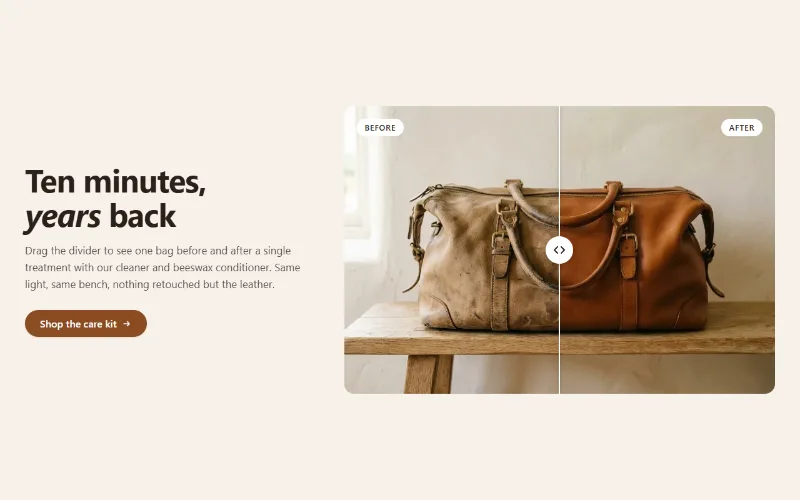
Before / after slider
Two photos in one frame with a draggable divider, so shoppers can compare before and after. Keyboard and screen reader friendly, with separate mobile images.
Product page
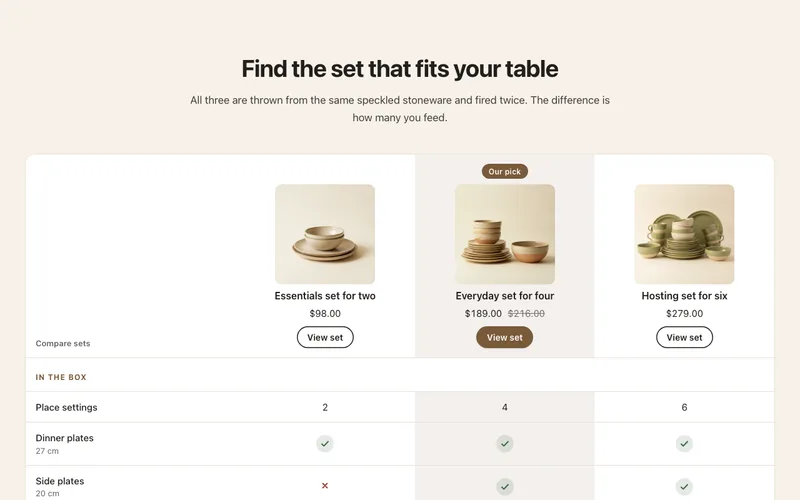
Comparison table
Compare 2 to 4 products or plans by feature rows with check, cross and text cells, a highlighted column and a sticky feature column on mobile.
Product page
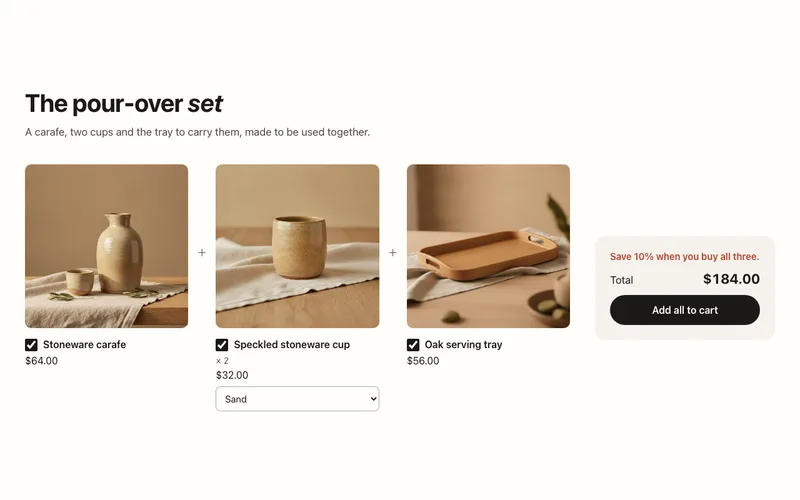
Product bundle
Buy-it-together bundle of two or three products with variant menus, a live total and one Add all to cart button through the Cart AJAX API.
